https://datatables.net/
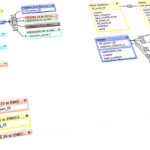
Javascript data table library... sorting, filtering, displaying and managing records.

































































Javascript data table library... sorting, filtering, displaying and managing records.

Walkable HTML ASCII 3D city
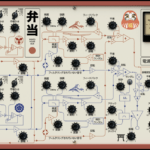
Javascript library for audio synthesis
Bizarrely intense AI-generated "affirmations" video
BrodytheCuber, "How To Solve The F2L Cases You Struggle With The Most"
Has a quick solve for one of the F2l cases I do all the time
J Perm, "How I do F2L Cases (Back Slot Regrips)"
J Perm, "Rubik's Cube: How to Look Ahead (F2L)"
J Perm, "Learn F2L in 6 minutes (Full Intuitive F2L Tutorial)"
J Perm, "Rubik's Cube: Easy 2-Look OLL Tutorial (Beginner CFOP)"
Our own Mislav Kos created a skill that leverages the newly LLM-friendly Claris help docs.
CadenceUX’s claris-filemaker-pro-skill is a skill in the pure sense, and a good one. It ships reference catalogs — all 360 calculation functions, all 155 script steps, the error codes, the help-center URLs — with a local-first, live-verify strategy and even a version-drift detector that flags when a fetched doc references a newer FileMaker version than the skill was built against. What it fixes is what the model knows: it stops your model from hallucinating a function signature or inventing an error code. That is real value. But it is, by design, a knowledge layer. The model still authors the XML; the skill just makes sure the model is better informed while it does that.
Andrew Kear’s FileMaker Layout XML Skill (from Clockwork Creative Technology, with a companion skill…
Local Obsidian MCP server. Website: https://mcpvault.org/
Decent article on how to query claude without burning too many tokens.
Summary:
1. Edit instead of following up
Go to your prompt → click the pencil icon → rewrite it → hit send. Claude regenerates as if the bad response never happened, so you avoid piling up conversation history.
2. Start fresh every 15–20 messages
When a chat gets long, ask Claude "Summarize everything we've discussed so far," copy that summary, open a new chat, paste it as your opening message, and continue there. Avoids the exponentially rising token cost of long threads.
3. Batch questions into one message
Instead of three separate asks, combine them — e.g. "Summarize this article, list the main points as bullets, then suggest a headline" — so context is only loaded once instead of three times.
4. Upload recurring files to Projects
Sidebar → Projects → create…
Well-spoken of software engineer skill set for agentic coding.
From the readme:
Skills For Real EngineersMy agent skills that I use every day to do real engineering - not vibe coding.
Developing real applications is hard. Approaches like GSD, BMAD, and Spec-Kit try to help by owning the process. But while doing so, they take away your control and make bugs in the process hard to resolve.
These skills are designed to be small, easy to adapt, and composable. They work with any model. They're based on decades of engineering experience. Hack around with them. Make them your own. Enjoy.
If you want to keep up with changes to these skills, and any new ones I create, you can join ~60,000 other devs on my newsletter:
FractalKitty's fascinating project to create a visual language, with her signature mathematical bent, for designing animated clocks. She's got sample clocks posted at https://github.com/fractalkitty/ClockTalk and the live project, which can import them, is at https://te-st.ing.
The Boy That Cried Mythos: Verification is Collapsing Trust in Anthropic
A pretty good analytical piece deconstructing the hype that Anthropic's Claude Mythos release is so powerful it's dangerous—something the government immediately hopped on board with.
Editorial piece suggesting that AI is leading us towards, not away from, decentralized control and creation.
Svelte.js 4 tutorial. I last left off on https://svelte.dev/tutorial/svelte/effects .
Suggested reading links page from "Wide Open Windows", an interesting, very cerebral Indiweb personal site.
"The chronicles of a webmaster: A stream of consciousness on technology, creativity, and a random series of events." A fun indieweb personal website featuring lots of ASCII art animation.
"More about Polyominoes and Polycubes" a comprehensive article about the mathematical puzzle.
Fun online puzzle where you arrange pentaminoes to try to enclose the maximum area. Briefly popular with Indieweb folks.
A wonderful biography by writer Jack Boulware of my spiritual leaders, Coyle & Sharpe.
Javascript bookmarklets that let you turn any page into interactive games: breakout, snake, etc.
Explainer about how QR codes work.
A site full of interesting explainers of real world engineering and technology designed for the layman, including many interactive javascript demonstrations: how naval architecture (keeping ships afloat) works, how GPS works, fascinating facts about the moon, and much more. Worth a browse.
An exhaustive explanation for the layman of how GPS works, including numerous interactive javascript demonstrations.
A mechanical engineer's page about an old (pre-1830s) mechanical method for producing microscopically flat surfaces.
Software engineer's fun personal site with a lo-fi aesthetic like I used to try to subscribe to before the monkey in my soul got the better of me.
For confused first-time visitors and other people still acclimating, here is a description of these little tabs to the left, as well as some other features of the site.
Open "Expert Mode" CLI Navigation - this give you the option to switch your browser's display to an old-fashioned terminal mode where you may browse this site, view pages and images by typing text commands. Just like how we used to browse the web back in 1978!
Open Visual Settings - This gives you controls to customize the visual display of this website to your liking: turn up or down the brightness, contrast, color temperature, hue, saturation, dark mode, and earthquake. Settings are saved per browser tab, so they will be remembered for your whole visit.
Open My Eyes - Have you ever been engrossed in your work, when you suddenly realize someone is staring at your screen, watching everything you do over your shoulder? If not, this simulates the experience.
Open Help - This help popup, silly! You just clicked it! Do you not remember?
New - Draggable elements! Several elements on this website, including these tabs, this popup message, and the "Hire Mike" badge in the lower right, can be dragged around with your mouse, to avoid them blocking content. Positions are remembered per tab, so as you navigate around the site, they will stay in the same place for your whole visit.
Enjoy!
Are you sure you want to switch to viewing this website in the "expert mode" command-line interface?
This will switch to a terminal emulator, load this page, and allow you to browse this website and view its contents by typing text commands.
Plus there might be, y'know, some fun stuff hidden in there. Just for geeks.