/Linkfeed
This is a feed of links I save, as I perambulate around the web, for my own interest or later reference. I'm publishing them publicly because, why not?
"Websites should be fun and interesting. —CapJamesG
























































/kupietz is a slash page for listing Kupietzs who you know. For me, that would be: myself.
Until I can get the slashkupietz.org directory up and running, here's a listing of people currently hosting /kupietz slash pages. If you set one up, please feel free to email me at slashkupietz26@michaelkupietz.net and I'll add you here.
https://thamara.co.uk/kupietz https://jamesg.blog/kupietz https://paultibbetts.uk/kupietz joined in too https://tabitha.computer/kupietz/This is a page for playing around with HTML, quick demos, etc.
This is blue text
This is red text
Incoming webmentions are accepted by the site's back end but not displayed as of 26 April 2026. Details to follow.
The short version is, I had a lot of problems with the implementation of the webmentions plugin. It relies on comments being turned on, and the site's WordPress theme formatting and displaying them, which in the current theme shows them with virtually no useful information... simply a box listing that a webmention has been received from a given domain, with no indication of its type or content... having meaningless boxes plastered across the bottom of my pages doesn't do anything for me. At some point I would like to participate in webmentions, and hope to eventually make whatever theme modifications are necessary to have them displayed usefully and properly. Right now, though, with regrets, the technology is not in place to do this easily yet, and while I…

Yes, here it is! I have started a blog page for thoughts a little too timely to be perserved as articles but a little too long-form to be spewed in Indieweb chat.
Nothing on this site is open for public comment because I don't want to deal with spam, but for now, if you have your own website and are set up to send webmentions to reply to anything here, these posts accept them, with my manual approval before they're made public. We'll see how that goes. But, either way, it means I have finally rejoined the social web for real.
As this page will be my social nub, for now, please direct any site-wide webmentions to this page, https://michaelkupietz.com/blog/. The homepage doesn't accept them.
Blog Post Categories
<--…
More /Caw pages:
More caw: FractalKitty, Capn James G, Artlung, gRegor Love, Thomas Vander Wal, Reilly Spitzfaden, Naty, Wavelight
This is my /Now page, after Derek Sivers's proposal.
I've recently back in San Francisco after a few months on the east coast.
I'm doing a lot of generative art, some (but nowhere near all of which, yet) you see all over this site, as well as having a few pieces published as cover and internal illustrations for a not-for-profit poetry anthology published by UCSF's Poetic Medicine program at the MERI Center for Palliative Care at Mt Zion.
On the music front, for the last few months I've been practicing playing the lyre, as well as still regularly playing guitar, saxophone and clarinet. I have a 24-string lyre and expect to have a video or two posted in the reasonably near future.
Professionally, I'm working as an in-house FileMaker developer for an large educational nonprofit, as well as continuing with a…
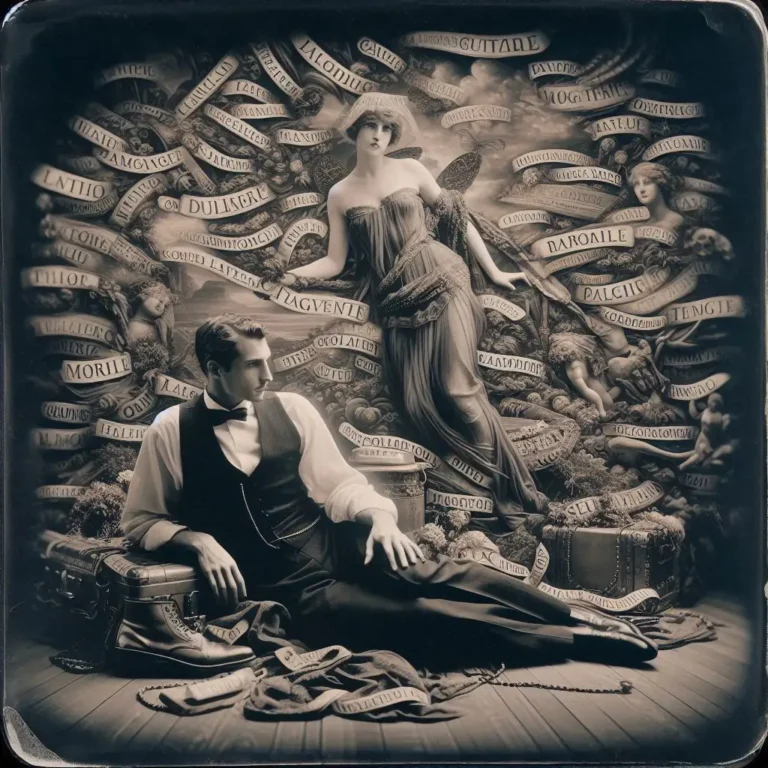
In the spirit of keeping up with the Joneses I've finally created an 88x31 button for those wishing to link to this site. I characteristically have two nearly-identical versions which nobody but me will probably notice the difference between, I'm not sure which I like best yet. I may make more.
"Built During An Indieweb Meetup" buttons
I strongly suggest, if you use these buttons, that you use an [code][/code] tag to link them to https://events.indieweb.org.
Download PSD template:  built-during-indieweb-button.psd
Inspired by something said during an IndieWeb meetup*, this button is, um, a "Holla Atcha Boy" button... built during an IndieWeb meetup, earning this page one of its own buttons.
*They said, "Holla atcha boy".
"Try CLI Mode" buttonsThis is my technology test page. I have a local instance of changedetection.io pointed at this page to alert me if any of these website features change unexpectedly, meaning that there is a plugin or theme conflict or some other problem causing unintended consequences across the site.
You really have no reason to be looking at this.
blah blah blah blah blah
/*
 * Plugin Name: MK Custom Shortcodes
 * Plugin URI: https://michaelkupietz.com/plugins/the-basics/
 * Description: My custom shortcodes.
 * Version: 1
 * Requires at least: 5.2
 * Requires PHP: 7.2
 * Author: Michael Kupietz
 * Author URI: https://michaelkupietz.com/
 * License: GPL v2 or later
 * License URI: https://www.gnu.org/licenses/gpl-2.0.html
…
ok
Hey there, good lookin'! These are handy uptime stats for all my websites and servers. As of this writing I'm using Hetrix Tools for these, and so far, liking it quite a bit.
This was an old idea I saw on the web 20 or so years ago, and did for myself for a while: the "Flypaper" page, trying to find people you have lost track up by putting their names on a page for them to find if they do a web search for themselves. I had one for a while, too, and I'm going to update it and put it here. For now, this is a placeholder to remind me to do that.
"Prompt in haste, repent at leisure." —Jason Gorman, LinkedIn
"JSON made the web shittier in a way that XML tried and failed." -Tantek Çelik
"This is exactly the sort of scenario where I imagine my waffle delivery drone idea would be helpful." —James's Coffee Blog
"Omnes stulti, et deliberatione non utentes, omnia tentant." —Thomas d'Aquinas, Summa Theologica ("Fools and those who do not think try everything")
"Ergo, omnes stulti Iavascriptum tentant. QED." —Norman Birkett, LinkedIn ("Therefore, all fools try JavaScript. QED.")
"People do not love Slack but rather feel subject to it." —pacifika, Hacker News
"'Open Source is free as in puppies'... Don't adopt it if you're not going to care for it." -Kevin Marks
"“I asked ChatGPT”- ok well I asked the mycelium and it said to plant more trees and to…
[This page intentionally left blank.]
I am not:
There's probably more, I'll update as I figure it out.
In college, I once won an ice cream flavor naming contest with "Cannibal Crunch Surprise".
I have solved a Rubik's cube in 40 seconds. I solve it in under 60 seconds pretty consistently.
Enough people have seen me play guitar on youtube to sell out a 2-week engagement at Madison Square Garden.
I have been 14 miles away from the nearest paved road. I walked there.
The longest straight stretch I have ever lived solely on what I could carry on my back, including all food, shelter, and supplies, was 3 weeks.
The longest straight stretch of nights I ever slept outdoors in a tent was 3 months.
The longest straight stretch of nights I ever lived on someone else's couch was 6 months.
The longest straight stretch I have ever been without a fixed address or direct phone number was 7 years.
I…
An incomplete list of my favorites of various sorts of things.
Movies Musicians Popular:Once, I was a man like most others—a worldly man, seduced and jaded by material things. These are some of those things.
Musical Instruments GuitarsBe aware, as a Mac user, sometimes I am stuck with what software is available. Inclusion in this list doesn't mean I recommend it, it just means it is the least bad of all the available alternatives.

Slashpages are common website pages, usually with a standard, root-level slug like /contact, /about, or /uses, usually giving basic factual information about the site or the individual behind it. They are distinguishing characteristics of the IndieWeb, a loose organization of web site owners and developers dedicated to cultivating independently owned, interoperable web sites and services, free of the data silos and walled gardens of the big, corporate-owned sites and technologies. Slashpages.net lists a bunch of common slashpages.
I will tell you, as I am in the process of gradually getting slashpages set up, some of them replace pages I already had up. I haven't reconciled this yet so there's some duplicate content.
Here's the current list of slashpages on this site:
These are my musical skills, roughly in descending order of competency:
Guitar (Acoustic & Electric, flat-picked & finger-picked)
Keyboards (Electronic, Piano, Organ)
Recorder & Chalumeau (Garkleit, Sopranino, Soprano, Alto, Tenor)
Mandolin
Bass (Electric)
Vocals
Saxophone
Clarinet
Hand drums
Lyre (24 string)
Harmonica
The secret is out!
I'm some sorta guy, I have no fucking idea what, at this point. Actually nowadays I feel more like a bug than a person—a specimen, not an individual. I'm good with it, though. My burrow is cozy. I am a zen insect.
Right now, the site feed is live at feed://michaelkupietz.com/feed. It doesn't validate properly—I'm working on that—but it does work in my FreshRSS reader, so it should be ok.
Alternatively you can see the most recent site updates listed in the browser on /changes.
h-feedI've got this site's front page "hero" (featured posts) section and all archive pages—that's all pages listing articles on this site by any kind of category, tag, or author name (of which there's only me) tagged with the more modern h-feed microformat for reading in h-feed readers (such as, for example, the previewer at https://monocle.p3k.io/preview). This is a microformat (a set of codes added to a web page) recommended by the Indieweb folks that allows modern feed readers to directly read your web pages…
While I'm still transitioning to using default slashpages, this is just a mirror of info on my main Bio & Contact Info page.
If you have any questions or concerns, I'm absolutely here to help. To get in touch, come to San Francisco and walk down each street shouting my name.
Here's a map:
Kidding.
Your best bet to reach me about my creative work or issues about this site is email.
If you email me: As an anti-spam measure, you're going to have to make sure your subject contains "email re website", or my mail filters will assume you're a spambot and trash it without me seeing it. Also…
Primarily as an interim measure as I adapt my site to using slashpages, this page largely repeats things you can find written about at greater length and in a way less exhausted state elsewhere on the site's About menu.
This site runs at home.
This is served by Wordpress running on a Debian 12 VM running in VMware on a 2012 Mac mini in my living room (then routed for protection through some things I won't name and then, out on the internet, some reverse proxies and CDNs and caches and other stuff. But you know that because you already ran a traceroute. I saw you coming.)
The theme is an extremely customized version of an obsolete, apparently abandoned wordpress theme called Sinatra that looked good when I started but I have since discovered was written really inefficiently. I've changed huge chunks of…


For confused first-time visitors and other people still acclimating, here is a description of these little tabs to the left, as well as some other features of the site.
Open "Expert Mode" CLI Navigation - this give you the option to switch your browser's display to an old-fashioned terminal mode where you may browse this site, view pages and images by typing text commands. Just like how we used to browse the web back in 1978!
Open Visual Settings - This gives you controls to customize the visual display of this website to your liking: turn up or down the brightness, contrast, color temperature, hue, saturation, dark mode, and earthquake. Settings are saved per browser tab, so they will be remembered for your whole visit.
Open My Eyes - Have you ever been engrossed in your work, when you suddenly realize someone is staring at your screen, watching everything you do over your shoulder? If not, this simulates the experience.
Open Help - This help popup, silly! You just clicked it! Do you not remember?
New - Draggable elements! Several elements on this website, including these tabs, this popup message, and the "Hire Mike" badge in the lower right, can be dragged around with your mouse, to avoid them blocking content. Positions are remembered per tab, so as you navigate around the site, they will stay in the same place for your whole visit.
Enjoy!
Are you sure you want to switch to viewing this website in the "expert mode" command-line interface?
This will switch to a terminal emulator, load this page, and allow you to browse this website and view its contents by typing text commands.
Plus there might be, y'know, some fun stuff hidden in there. Just for geeks.