Creative Productions, Arrangements and Operations • Art, Technology and Amusements. Software Engineer and certified FileMaker Pro developer and full-stack web developer by day, https//www.kupietz.com
An early experiment in the serialist style I've been developing, which I was once told by a figure in a dream should be called "Zetetic Music". 2017. This is not a listenable or enjoyable album nor a particularly interesting piece of music, and is posted here primarily for the historical record. There are many other things on this site much more worth listening to.
Imagine if an esteemed Pig Latin cinema auteur filmed a classic 1970s horror movie entirely in his native tongue. Then, imagine if I had been picked out of my second-grade class by that auteur to create a vintage electronic progressive soundtrack to that film. Now, imagine that soundtrack was unearthed and finally saw release as an album in the 2020s. These are the work-in-progress demos for what someday will be what would have been that legendary classic film score.
I've been putting together an album of goofy electronic arrangements of classic tunes. Here's one I'm still working on at the moment, a medley of classic favorites, called "The Strutbutter / The Great Game Show In The Sky".
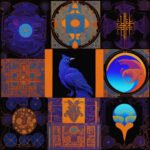
Angel trumpets and devil trombones, and you are invited! Here's some phantasmagorical music-themed generative AI illustrations I, well, generated.
These were, by the way, generated with Dall-E 2.5, which is sadly no longer available. All public instances have been replaced with Dall-E 3 which is much more literal, produces crisp, more concrete and digital-looking or often cartoonish images, and is not good for abstraction or "sloppier" images. I remain hopeful Dall-E 2.5 will become available again, or a future version will allow the use of prompts again that can facilitate generating more obscure, impressionistic, and stylistically varied output.
On my IT consulting business site, I'm using a php script I've written to generate on-the-fly random email addresses specific to the browsing session looking at the site. So, I can include email addresses in plain text on the site, but if a spammer harvests one, I can block it, and other people legitimately browsing the site will still get individualized working addresses they can contact me with.
It generates a log as email are generated, so you know who got what email. You'll want to watch the log size yourself so you don't fill your disk space.
Obviously it's more complicated than just this, there's whitelisting involved as well as some other behind-the-scenes trickery, such as double-checking emails against the log as they arrive, that I can't reveal publicly for opsec reasons.
But, I can reveal the basic php script that coughs up a random email address specific…
For confused first-time visitors and other people still acclimating, here is a description of these little tabs to the left, as well as some other features of the site.
Open "Expert Mode" CLI Navigation - this give you the option to switch your browser's display to an old-fashioned terminal mode where you may browse this site, view pages and images by typing text commands. Just like how we used to browse the web back in 1978!
Open Visual Settings - This gives you controls to customize the visual display of this website to your liking: turn up or down the brightness, contrast, color temperature, hue, saturation, dark mode, and earthquake. Settings are saved per browser tab, so they will be remembered for your whole visit.
Open My Eyes - Have you ever been engrossed in your work, when you suddenly realize someone is staring at your screen, watching everything you do over your shoulder? If not, this simulates the experience.
Open Help - This help popup, silly! You just clicked it! Do you not remember?
New - Draggable elements! Several elements on this website, including these tabs, this popup message, and the "Hire Mike" badge in the lower right, can be dragged around with your mouse, to avoid them blocking content. Positions are remembered per tab, so as you navigate around the site, they will stay in the same place for your whole visit.
Enjoy!
CLI Website Navigation
Are you sure you want to switch to viewing this website in the "expert mode" command-line interface?
This will switch to a terminal emulator, load this page, and allow you to browse this website and view its contents by typing text commands.
Plus there might be, y'know, some fun stuff hidden in there. Just for geeks.