Here's a CSS customization feature. Have fun getting it to work!
Have to leave the app to customize CSS. Why can't you save snippets in the app?? Overall, it feels like they intentionally make it as difficult and roundabout as possible to use.
And of course I followed the instructions, created the snippet in the secondary text editor Obsidian makes you keep around if you want to do things like this, quit the app, reopened it, and... it didn't work. Because, of course it didn't work. Why would following the instructions WORK, when it's so much more of a waste of time if it doesn't? I'm so glad they made this so complicated. This is so much harder than if they just had a place in the preferences to enter custom CSS, and, who doesn't love things to be as hard as possible?
Edit: After googling, I found https://forum.obsidian.md/t/css-snippets-are-completely-ignored-not-applied-despite-the-correct-placement-enabling-and-disabling-all-plugins-in-the-settings/104341/8, which suggest using the CSS Editor plugin, "to ensure the .css file is valid, in the correct spot, etc. – all within Obsidian". And it does do all those things... everything except get the CSS snippet feature to actually work so you can use it and your CSS is actually applied. That, it doesn't do, because, of course it doesn't, because then this app wouldn't be a frustrating waste of time.
Here, by the way, is how my snippet appeared in the CSS Editor plugin:
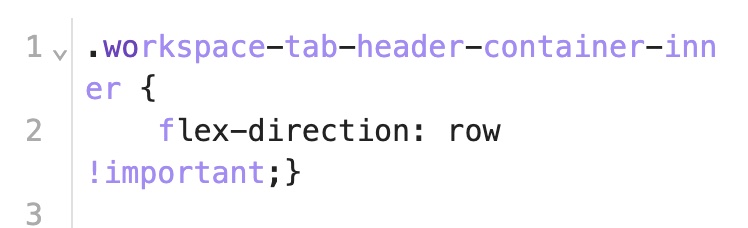
Notice the changes in formatting in the middle of words? I suspected that somehow, invisible formatting characters had crept into the snippet. I deleted the whole block and retyped it manually, and suddenly it worked. So something else had crept in there. How? I don't know. This is a plain text file. But something invisible was inserted somehow—that nothing anywhere in the process told me about, because telling me there's a problem or what it is would be too easy. Much better for things to just fail silently.
Total time to implement a single working CSS rule: approximately 90 minutes.
Buzzword-compliant, for maximium obsnop!
There aren't folders and metadata, there are "vaults" and "frontmatter", for no apparent reason other than to obfuscate things.
This is America, people, if you can't speak English, at least speak Navajo, or Spanish... something. Don't just make up new words, or people like me get irate and have to write down backgriping like this, and maybe start making up our own needless cradinks too just to show how silly it sounds.
Reliability? Yer in the open source world now, bub.
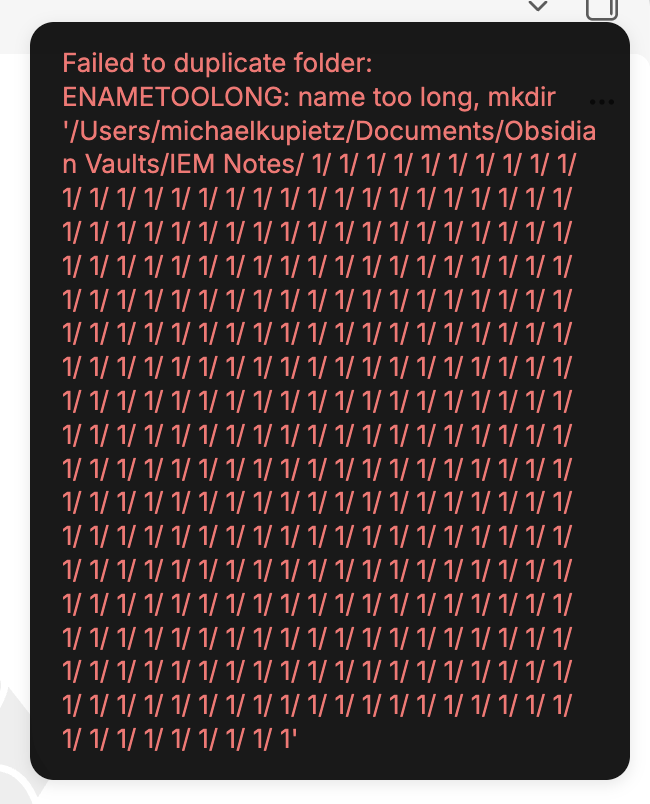
The beauty of open-source software. I tried to duplicate a folder, and got this:
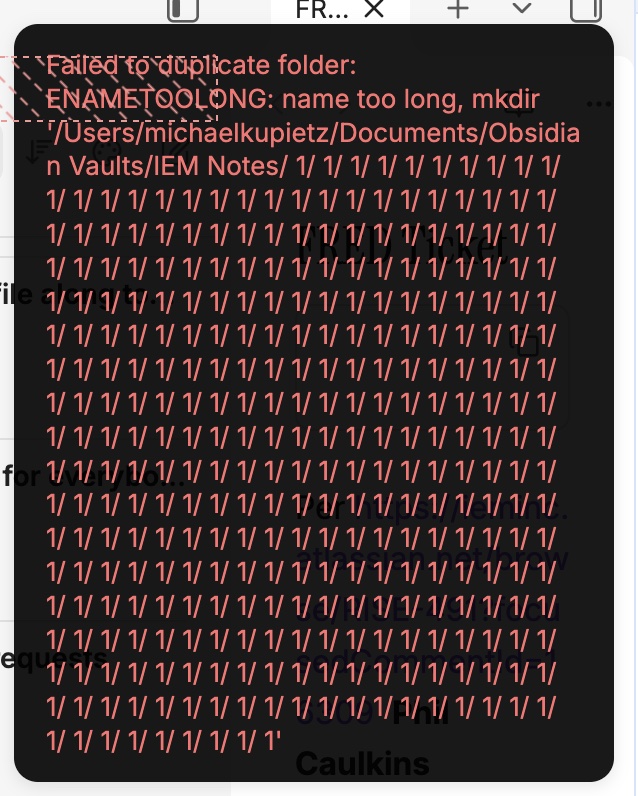
Let's just create some infinintely-nested folders, shall we?
Later on, I discovered what contributed to the above problem. Apparently Obsidian decided at some point to create infinitely nested folders in my "vault", as I clicked a button to expand all folders and saw this:
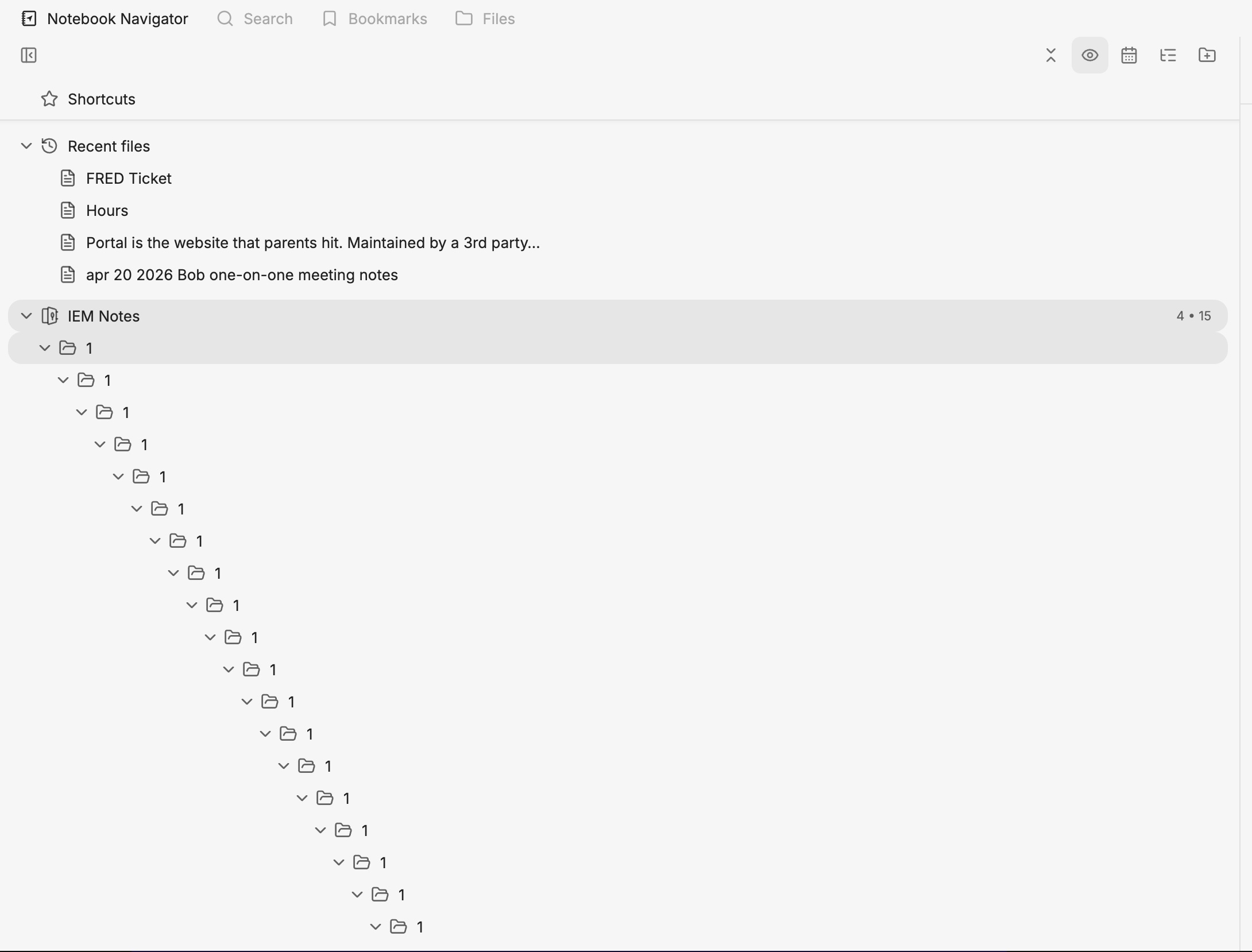
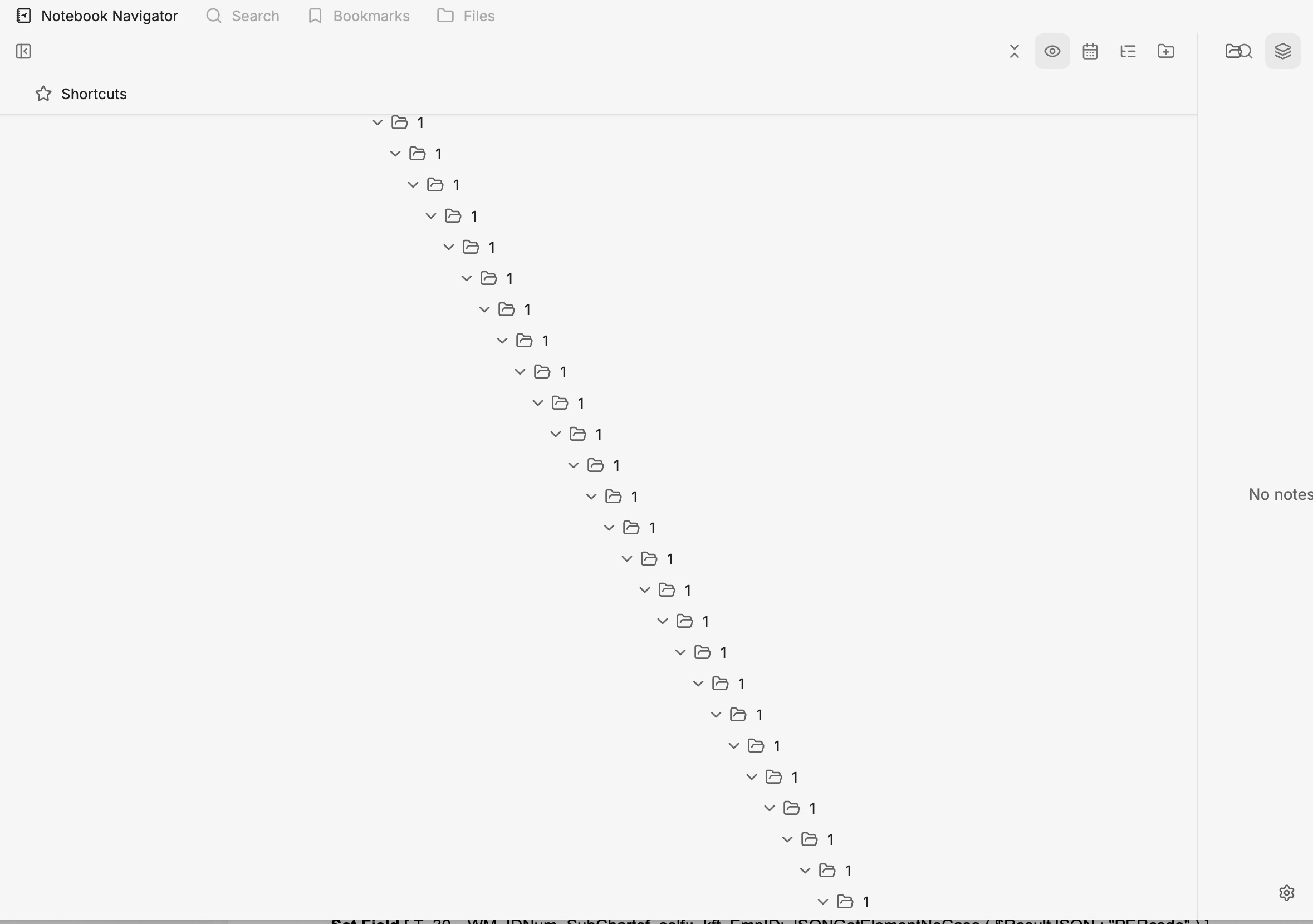
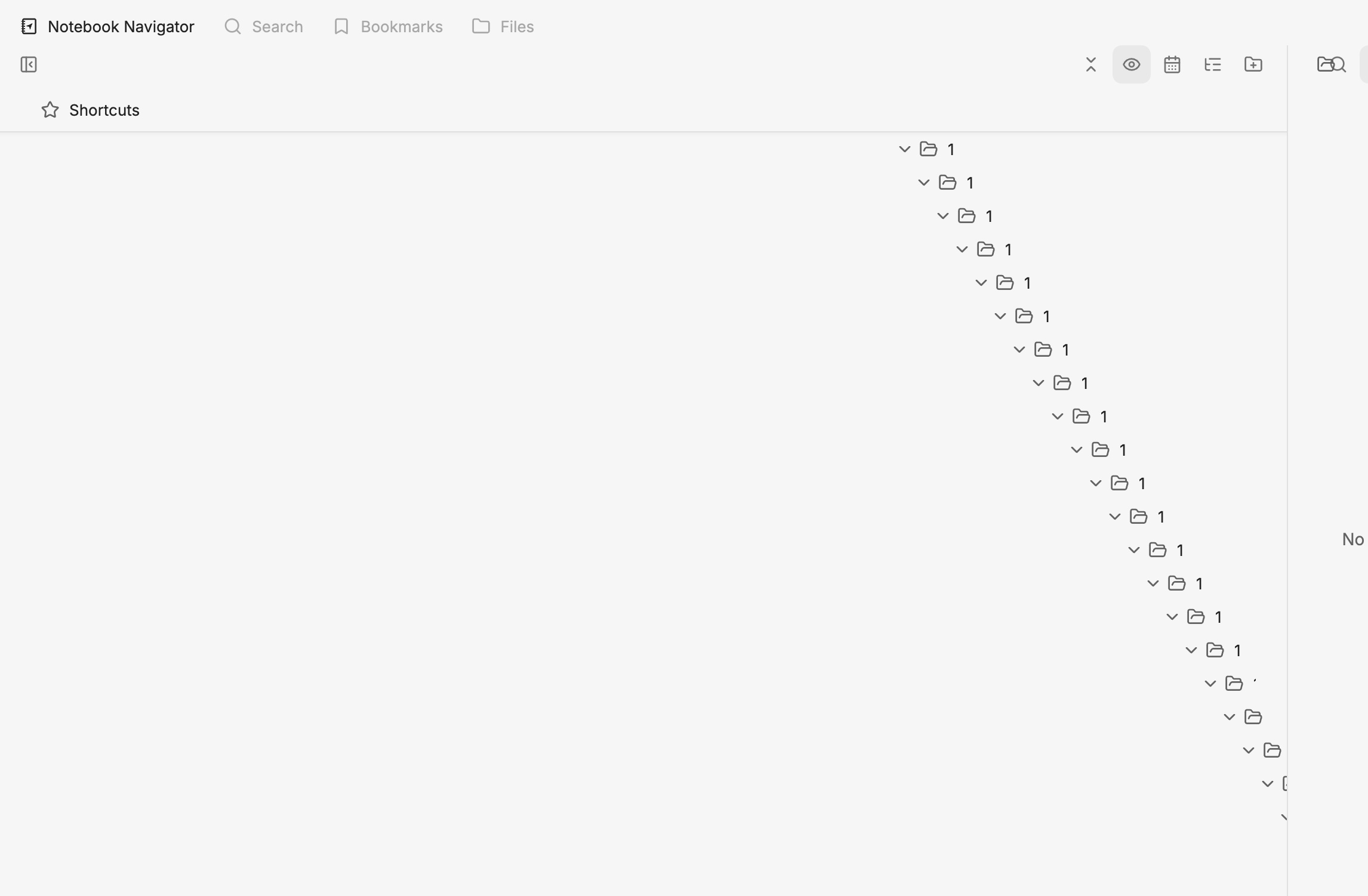
Where did they come from? I don't know. I sure didn't create them.
How deep do they go? I'm tempted to open them all up and see what's at the bottom. Maybe there's hidden treasure down there.
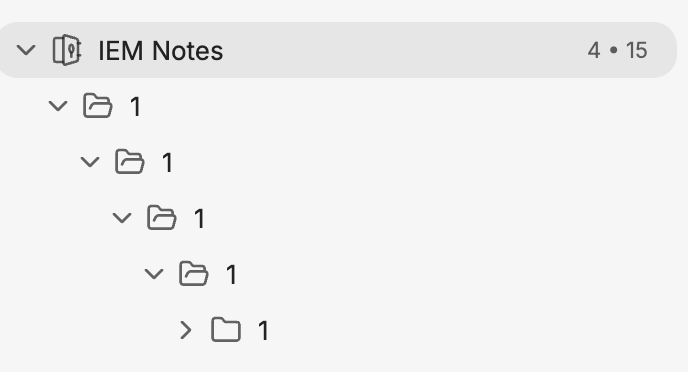
Edit I went ahead and deleted the whole tree of "1" folders. Later on I tried to duplicate a folder again, and guess what I got?
And guess what was back?
What a terrific app. I definitely want to trust my life's notes to this.
Yes, Master
VERY opinionated. you'll do it Obsidian's way and you'll like it. Maybe with a ton of custom programming you can get what you want. Were you looking for a note taking app, or a notes app programming IDE? I really just wanted to take notes.
Typical modern power-user app design: it gives you tremendous power to do things exactly the way the person who wrote the app thinks they should be done, otherwise, you're on your own. You want to do it the way you think, instead of the way he thinks? Hey—write your own app, bucko, this here is Obsidian! (The typical Obsidian forums response to "How do I do this thing I need to do?" isn't "Here's how to do it", it's "Why do you need to do it that way? Here's a different thing you can do." I actually saw one guy tell someone else he shouldn't need to look at his recent notes, he should use the "map" and learn to see things in terms of "thoughts" instead of "time". Huge help: "If you want to use this app, just change the way you think and work!")
Let's just make you duplicate some work, because we can
I got everything set up the way I wanted it, created a second vault because I need my personal notes segregated, opened it and... turns out ALL configuration is per vault. Got separate vaults? Have fun setting everything up AGAIN. Why the hell is the presentation locked in a vault with specific content? Why can't you have app-wide setup so you don't have to keep recreating things? What a pain.
Oh, and good news! Even the css snippets are stored per-vault instead of app-wide, so if you're more comfortable with a separation of concerns, then when you create the new vault you'll have to recreate EVERYTHING, the entire environment.
Increase productivity by spending hours fruitlessly Googling for help for a notes app
I set it up several hours ago and I'm *still* googling for help. I remember when I started using Apple Notes, which does 99% of what I need, the length of time I had to google to figure out how to use it was, exactly, zero minutes.
<h3>#Markdown</h3>
Markdown. My hated enemy. It's not 1982 anymore, folks, you don't have to be afraid of rich text and inline images.
And, what's worse, it doesn't treat markdown as markup or content... it treats it as both. So if you create a prominent headline with headline formatting, instead of seeing "#headlline" or **HEADLINE**, you see "**#HEADLINE**" Really well-thought out UX here, very clear design thinking. Kind of like if instead of showing you bold text on this website, it was displayed like <b>bold text</b>.
Why make common features available with the stock keystrokes they've been at in every app for 40 years, when you can bury them 2 menus deep instead?
You have to dive two contextual menus deep to get your inline text formats like bold. No convenient keystroke, like most apps have had for, er, 42 years, because, why do things the easy way when you can overcomplicate them?. Again, there may be a programming solution to this, and again, were you looking for a note taking app, or a notes app programming environment?
Hieroglyphics
Little monochrome, abstract, unlabeled hieroglyphics. Lots of little monochrome, abstract, unlabeled hieroglyphics. The interface is like a Steve Jobs fever dream. Maximum "looks like it was designed to look cool rather than be usable".
Visual plumbing junk, the Deconstructionist Architecture of UI design
Here's a good one. Here's the beauty of using a retrograde, poorly-thought-out format like Markdown. Here's my list of notes in my new vault:
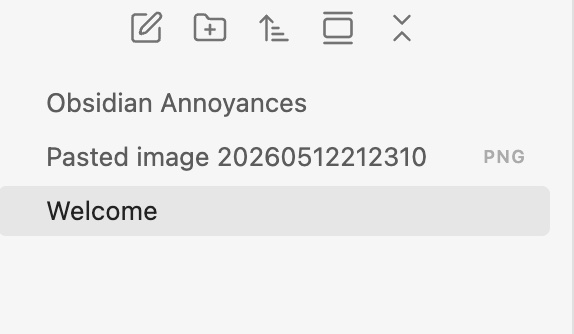
Notice that note called "Pasted image 20260512212310"? That's not a note. That's because I have an inline image in the "Obsidian Annoyances" note. If you want an inline image, you permanently get image files cluttering up your notes list, as if they're notes, as if it serves any purpose to have them there except as a visual detritus left lying in full view due to a terribly-designed note taking app. Brilliant. I can only imagine what my notes list will look like once I have a number of notes with screenshots in them. It'll be complete garbage, tons of files I don't need listed strewn throughout my list of notes.
Unless there's some way to hide them—but if there is, why isn't that the default? Who needs a list of screenshots they inlined in their notes mixed in with their list of notes?
Text formatting options straight out of 1983
No underlining... you literally have to code the ability to underline text yourself with a coding plugin.
Markdown, again
Have I mentioned how much I hate markdown? I want asterisks around words sometimes as ordinary punctuation. I have used that as ordinary punctuation for 40 years. If I want words italicized, I'll select an italic style. I want what I type to be what I see. I don't want to type one thing and then see something else onscreen because software has reinterpreted my typing.
Can't open multiple vaults in one window.
I'm so glad I just wasted 4 hours beating my head against a wall to try to get a note-taking app that everybody loves to where it would even be just barely usable, and completely failed to. Terrific. Really, it's so much better than doing something productive.