Creative Productions, Arrangements and Operations • Art, Technology and Amusements. Software Engineer and certified FileMaker Pro developer and full-stack web developer by day, https//www.kupietz.com
If CSS animations cause a layout shift even if they're on compositable ettributes, look for clip paths, overflow:hidden, or css filters on them or their ancestors.
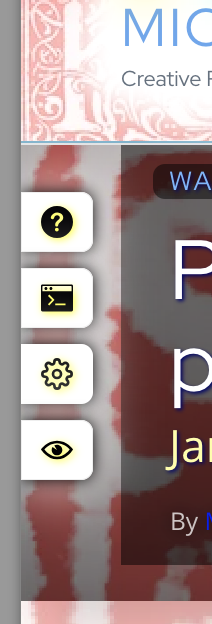
So, I had a crazy problem. You'll notice that there's various draggable elements on this site... such as the "Kupietools" plugin tabs seen at left, the occasional "the site is being worked on right now" notices that pop up, etc. You can drag them around with your mouse.
This is done with a plugin (also available as a standalone javascript module, a few versions behind the plugin as I write this) that retrofits code onto various HTML elements by giving the plugin the classnames it needs to make interactive.
I was doing some optimization on the site loading to speed things up, such as getting WordPress to load a lot of CSS file late so as not to interfere with initial page load stats. (This is a whole art, beyond the scope of this article.) Suddenly…
The problem was, I needed to make some changes to how that code functioned, and I couldn't find where I had added the script that did that.
Long story short: I temporarily added this script to the head of the page, and then reloaded it with an #anchor added to the URL, in this case [code]https://michaelkupietz.com/literally-hundreds-capsule-reviews/#puzzlehead[/code]:
[code] // Override the open property setter to catch when…
I had an interesting problem where I set an image's CSS rules to display:fixed and it still scrolled with the page. Here's what I discovered:
In CSS, display:fixed means fixed with regard to the nearest ancestor stacking context, not necessarily to the page coordinates. You can reset the stacking context by adding a transform, will-change, or other attributes (list provided below) to an element. If an ancestor element resets the stacking context, any descendant of it with display:fixed will stay fixed with regard to it, but if it scrolls with the page, will scroll too.
Ditto for the CSS attribute z-index. A higher z-index is only in front of objects in its stacking context. A new stacking context, lower down on the page, can contain elements with a lower z-index but that nonetheless appear in front of it visually, because they're not in the same stacking context.
Here’s a guide to all currently available CSS units, with explanations and common use notes. This includes all CSS units listed in MDN Web Docs as of 2025aug15.
Posted inImage GalleryPosted in genresGeek StuffWebsite Images
.cellimglink > .mk-cell-img {border-radius:0 !important;}Buttons Kupietz Arts+Code buttons "Built During An Indieweb Meetup" buttons I strongly suggest, if you use…
For confused first-time visitors and other people still acclimating, here is a description of these little tabs to the left, as well as some other features of the site.
Open "Expert Mode" CLI Navigation - this give you the option to switch your browser's display to an old-fashioned terminal mode where you may browse this site, view pages and images by typing text commands. Just like how we used to browse the web back in 1978!
Open Visual Settings - This gives you controls to customize the visual display of this website to your liking: turn up or down the brightness, contrast, color temperature, hue, saturation, dark mode, and earthquake. Settings are saved per browser tab, so they will be remembered for your whole visit.
Open My Eyes - Have you ever been engrossed in your work, when you suddenly realize someone is staring at your screen, watching everything you do over your shoulder? If not, this simulates the experience.
Open Help - This help popup, silly! You just clicked it! Do you not remember?
New - Draggable elements! Several elements on this website, including these tabs, this popup message, and the "Hire Mike" badge in the lower right, can be dragged around with your mouse, to avoid them blocking content. Positions are remembered per tab, so as you navigate around the site, they will stay in the same place for your whole visit.
Enjoy!
CLI Website Navigation
Are you sure you want to switch to viewing this website in the "expert mode" command-line interface?
This will switch to a terminal emulator, load this page, and allow you to browse this website and view its contents by typing text commands.
Plus there might be, y'know, some fun stuff hidden in there. Just for geeks.
 So, I had a crazy problem. You'll notice that there's various draggable elements on this site... such as the "Kupietools" plugin tabs seen at left, the occasional "the site is being worked on right now" notices that pop up, etc. You can drag them around with your mouse.