Latest "Demo & Live Tool Playground" files
Code & Algorithms » Demo & Live Tool Playground
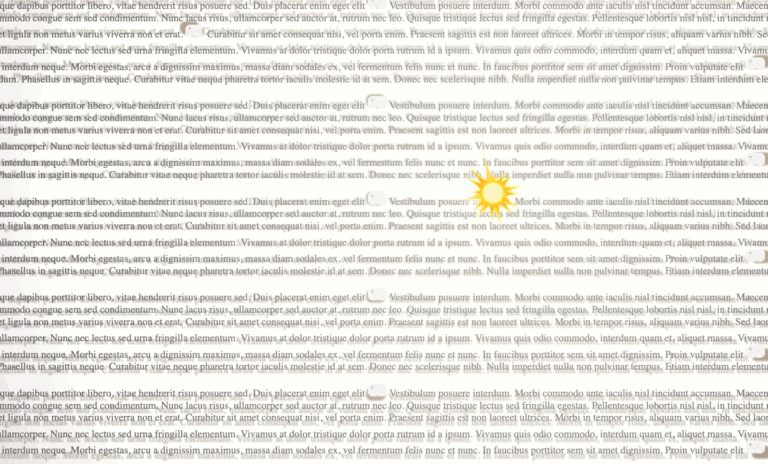
Web Demo: CSS Dynamic Point Light Source & Parallax Shadows

Let There Be More Light: Web Demo: CSS Dynamic Point Light Source & Parallax Shadows

Click here to view this in a separate tab.

This demonstrates a high-performance method of rendering dynamic CSS drop shadows from a simulated point light source.

The note and sun light source elements have been made interactively user-draggable by the inclusion of an external draggability package.

Until I have this documented, you can see the code on Codepen at https://codepen.io/kupietz/pen/LEpzJgL.

Update, Feb 2026:

This is not my work but it deserves a mention here. I've been completely outdone. Check this demo out. This guy designed an entire css system around physical lighting: https://ambientcss.vercel.app/ Github: https://github.com/kikkupico/ambientcss

Workshop » Works In Progress » Code & Algo Works In Progress
Draggable Elements WordPress Plugin

Nothin' But A Drag: Draggable Elements WordPress Plugin

First, the demo

This is a brief demo page for my KupieTools Draggable Elements WordPress plugin, which dynamically adds interactive draggability to any page element, based on CSS class names (or, really, any CSS selector).

Here's some boxes:

Drag Me Horizontally Drag Me Vertically Drag Me Anywhere Drag Me To Corners

If you select "View Page Source" on this page in your browser, you will see that the above four DIV elements, as defined in the page HTML, are just ordinary DIV elements with a single classname, an ID, and some visual styling. The KupieTools Draggable Elements plugin adds draggability to any arbitrary page element, by simply specifying a class name or other CSS selector for it in the plugin. (If you use your browser's Inspector instead of View Page Source, you'll see the current state of those elements, with any changes or additions the plugin created…

Code & Algorithms » Demo & Live Tool Playground
Pure CSS interactive web holiday lights (updated for 2025)

season's geekings: Pure CSS interactive web holiday lights (updated for 2025)

/* xmas lights */ #lightrope { text-align: center; white-space: nowrap; overflow: hidden; position: fixed; z-index: 1000; margin: -15px 0 0 0; padding: 0; pointer-events: none; width: 100%;left: 0;top: var(--wp-admin--admin-bar--height); } #lightrope > li { position: relative; display: inline-block; list-style: none; margin: 20px 20px 20px 22px; } #lightrope > li > div { position: relative; border-left: 2px solid rgba(0,0,0,.05); border-right: 2px solid rgba(255,255,255,.5); margin: 2px 0 0 -3px; padding: 0; display: block; width: 8px; height: 18px; border-radius: 50%; transform-origin: top center; -webkit-animation-fill-mode: forwards; animation-fill-mode: forwards; pointer-events: auto; } /* Colors for different bulbs */ #lightrope > li:nth-child(5n+0) > div { -webkit-animation-duration: 0.8s, 4.1s, 3s; animation-duration: 0.8s, 4.1s, 3s; } #lightrope > li:nth-child(5n+1) > div { -webkit-animation-duration: .9s, 4.3s, 3s; animation-duration: .9s, 4.3s, 3s; } #lightrope > li:nth-child(5n+2) > div { -webkit-animation-duration: 1s, 4.5s, 3s; animation-duration: 1s, 4.5s, 3s; } #lightrope > li:nth-child(5n+3) > div { -webkit-animation-duration: 1.1s, 4.7s, 3s; animation-duration: 1.1s,…
Code & Algorithms » Demo & Live Tool Playground
The Internet Bad Statements (“BS”) Detector

Online Fact-Checking Tool: The Internet Bad Statements (“BS”) Detector

Here's a fairly old repost from my consulting site, where it got no traction whatsoever.

The Bad Statements Detector is a specialized search tool designed to aid in online research and to help prevent people from passing along nonsense on the internet, by making it easier to look stuff up on fact-checking websites like Snopes.com, Politifact, FactCheck.org, and other myth-busting websites all at once.

It works very simply: drag a “Detect BS” button to your bookmarks bar to create a "bookmarklet", a javascript bookmark that opens a tool when clicked. Then, while you surf the web, you can drag your mouse to select text on any web page and click your “Detect BS” bookmark link. This will return no-nonsense links from a multitude of reputable fact-checking and science websites that tell you if the statement you selected is well-known BS (plus offer you some sharing options right from the popup.)