
Code & Algorithms » Web
Tech note: How To Export or Import Notes from the “Webstickies” Extension In Firefox

Free Your Mind, And Your Sticky Notes Will Follow: Tech note: How To Export or Import Notes from the “Webstickies” Extension In Firefox

Amongst my most-used browser extensions is Webstickies by Lawrence Hook, which allows you to leave a permanent "sticky note" on any web page. It's available for both Firefox and (yuck, ptui) Chrome, although I only use it in Firefox.

However, the one thing it lacks is an import/export functionality. For $10, you can get access to "Cloud Sync" for your notes—yes, another unneeded "cloud integration" where local functionality would have been superior.

Consider this side-by-side feature comparison:

Local Import/Export Cloud Sync Transfer notes between browsers or computers ✔ ✔ Allows the plugin developer to make some money selling the use of infrastructure that shouldn't strictly be needed ❌ ✔ Need to literally copy down every single note by hand, one by one, to get them out of the extension ❌ ✔ Email yourself a full copy of your notes for safekeeping ✔ ❌…
Code & Algorithms » Demo & Live Tool Playground
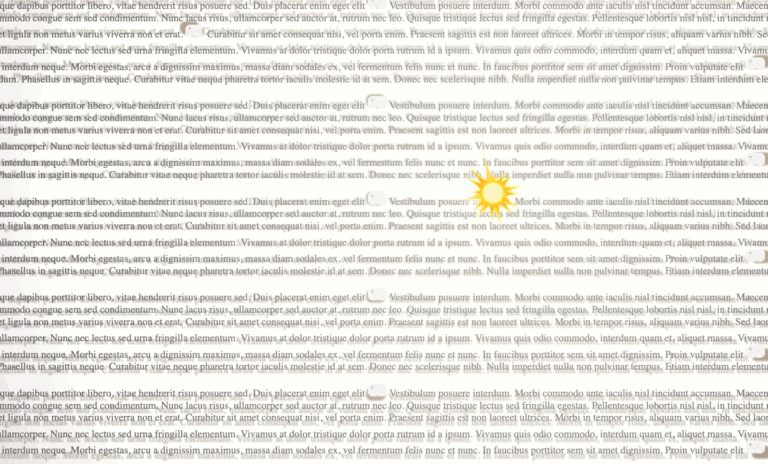
Web Demo: CSS Dynamic Point Light Source & Parallax Shadows

Let There Be More Light: Web Demo: CSS Dynamic Point Light Source & Parallax Shadows

Click here to view this in a separate tab.

This demonstrates a high-performance method of rendering dynamic CSS drop shadows from a simulated point light source.

The note and sun light source elements have been made interactively user-draggable by the inclusion of an external draggability package.

Until I have this documented, you can see the code on Codepen at https://codepen.io/kupietz/pen/LEpzJgL.

Update, Feb 2026:

This is not my work but it deserves a mention here. I've been completely outdone. Check this demo out. This guy designed an entire css system around physical lighting: https://ambientcss.vercel.app/ Github: https://github.com/kikkupico/ambientcss

Code & Algorithms » Web
Scripts to Analyze CSS from Firefox’s Javascript console.

For Web Devs and Other Tool-Using Animals: Scripts to Analyze CSS from Firefox’s Javascript console.

When, in the course of human events, it becomes necessary to understand why your wordpress site's freaking menus display fine when you're logged in as administrator but are completely broken when you're logged out, it may be useful to be able to easily compile all the CSS for the affected page elements for both the working and nonworking versions, and compare them to see what might be different.

Let me back up. I had a problem the other day where my Wordpress site's caching plugin, which performs various optimizations on my site's code for non-logged-in users, was adding some sort of broken CSS. When I was logged in, everything worked fine, but when not logged in, something changed somewhere in the CSS that caused some of my menus not to display. I had a rough idea of where the changed code must be, but no more than that, and…

Code & Algorithms » MacOS & Desktop

Thunderbird Customization: a FiltaQuilla “open mail folder on receiving mail” Javascript Action script

Among the many things the late, lamented Eudora email client spoiled me for was, when I checked my mail, opening all the mailboxes that had received mail in new windows. That way I could click through, looking at each mail window and closing it when I was done, and be sure I had seen all my new mail.

This is a javascript you can paste into the FiltaQuilla addon's "Javascript Action" filter action which brings this behavior to Thunderbird.

Following are the explanatory README, the script code, and license, embedded from my repo on Github at https://github.com/kupietools/filtaquilla-open-mail-folder-on-receiving-mail.

.emgithub-file pre {white-space:normal !important;} .emgithub-file tr, .emgithub-file td, .emgithub-file th, .emgithub-file span {min-width:32px !important;text-align: left !important; margin:2px 4px 0 0 !important;padding:2px !important;line-height:1.5em !important;}