/Sandbox
This is a page for playing around with HTML, quick demos, etc.
This is blue text
This is red text



































































This is a page for playing around with HTML, quick demos, etc.
This is blue text
This is red text

If you're like me, you loathe and despise the toxic mental ordure that YouTube often plasters up and down the right side of each video page, such as POLITICAL DEMAGOGUERY in MIXED CAPS to PIQUE your OUTRAGE enough to KEEP YOU WATCHING YOUTUBE instead of doing something PRODUCTIVE! [insert thumbnail of someone looking amazed here.]
At a certain point, I started to notice that there was more likely to be things I didn't even want to know existed in that section than anything I actually wanted to see. So, I added a simple rule to the uBlock Origin browser plugin that hides that section of the page:
[code]!https://www.youtube.com www.youtube.com###related[/code]
And that's it. That's all you need to add. No more "related videos" section.
While I was at it, I added a rule to block the "suggested videos" thumbnails that appear at the end of videos, by…
If the web server is slow, detect a SYN flood by netstat -ant | grep :443 | grep SYN_RECV to show the IP addresses leaving it hanging. Hint: If you're behind a reverse proxy, and that shows IP addresses that aren't the proxy's, then your IP is being hit directly. To find out how many IPs are hanging, do netstat -ant | grep :443 | grep SYN_RECV | wc -l. If you do it a few times and the number is increasing, you may be under attack. If it's over 100, that's suspicious, but manageable and the server can usually handle it, especially if you have SYN cookies activated. If it's over 1000, you're under attack.
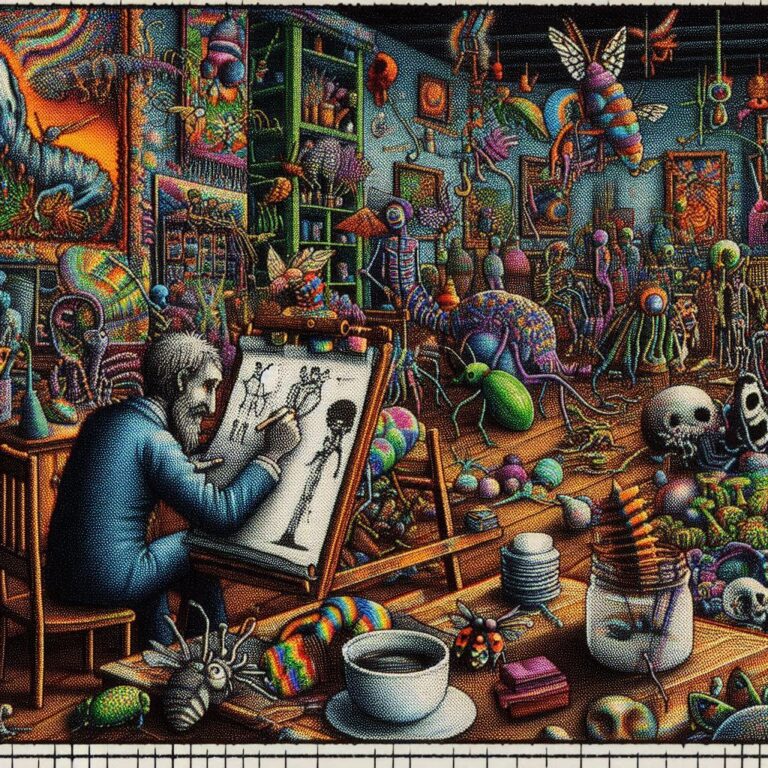
Here are some additional images I created while working on the featured image for March 2026 Indieweb Carnival piece "Museum Memories".
Article syndication: Fediverse
Incoming webmentions are accepted by the site's back end but not displayed as of 26 April 2026. Details to follow.
The short version is, I had a lot of problems with the implementation of the webmentions plugin. It relies on comments being turned on, and the site's WordPress theme formatting and displaying them, which in the current theme shows them with virtually no useful information... simply a box listing that a webmention has been received from a given domain, with no indication of its type or content... having meaningless boxes plastered across the bottom of my pages doesn't do anything for me. At some point I would like to participate in webmentions, and hope to eventually make whatever theme modifications are necessary to have them displayed usefully and properly. Right now, though, with regrets, the technology is not in place to do this easily yet, and while I…
Run this on the server for sql tuneup recommendations to my.cnf.
[code]wget http://mysqltuner.pl/ -O mysqltuner.pl perl mysqltuner.pl[/code]

Yes, here it is! I have started a blog page for thoughts a little too timely to be perserved as articles but a little too long-form to be spewed in Indieweb chat.
Nothing on this site is open for public comment because I don't want to deal with spam, but for now, if you have your own website and are set up to send webmentions to reply to anything here, these posts accept them, with my manual approval before they're made public. We'll see how that goes. But, either way, it means I have finally rejoined the social web for real.
As this page will be my social nub, for now, please direct any site-wide webmentions to this page, https://michaelkupietz.com/blog/. The homepage doesn't accept them.
Blog Post Categories
<--…
Reddit collapses comments from blocked users so you have to click to read them, but does not hide them.
Add this custom rule to uBlock origin to completely hide comments from blocked users.
! https://www.reddit.com - hide blocked user
www.reddit.com##shreddit-comment.relative:has(.text-neutral-content-weak:has-text(Blocked User))
Firefox as of v 148 (actually a bit earlier than that, but that's what I'm on right now) frequently decides not to load pages anymore. You enter a URL or click on a link and get the status message "Waiting for [URL]..." and you can wait as long as you care to.
When this begins, your only choice is to restart Firefox.
Here is a list of "solutions" to the problem from around the web, which I have tried and found do not fix the problem:
• Turning off DNS-over-HTTPS in Firefox Settings
• Flushing MacOS's DNS cache.
• Going to about:networking and clearing Firefox's DNS cache
• Going into about:config and changing network.dns.disableIPv6 from false to true
• Opening in "troubleshooting mode" or disabling all extensions
• Turning VPN off
• Turning VPN on
Long story short, I got a message from a user that audio playlists were working in Firefox but not Chrome. The Chrome console had an error that "jQuery" wasn't defined, but typing jQuery into console did show a function definition. Turns out, in Lightspeed Cache's JS Delayed Includes, I had entered the word jquery by itself on a line, with a note to myself that something was causing a browser flash if I didn't do that. But removing this made the playlist shortcodes work on Chrome again. Ergo: don't defer jQuery.
I uses this shortcut to dictate my shopping list into the iOS Reminders "Shopping" list. It breaks spoken lists on the word "and" to create separate shopping list items.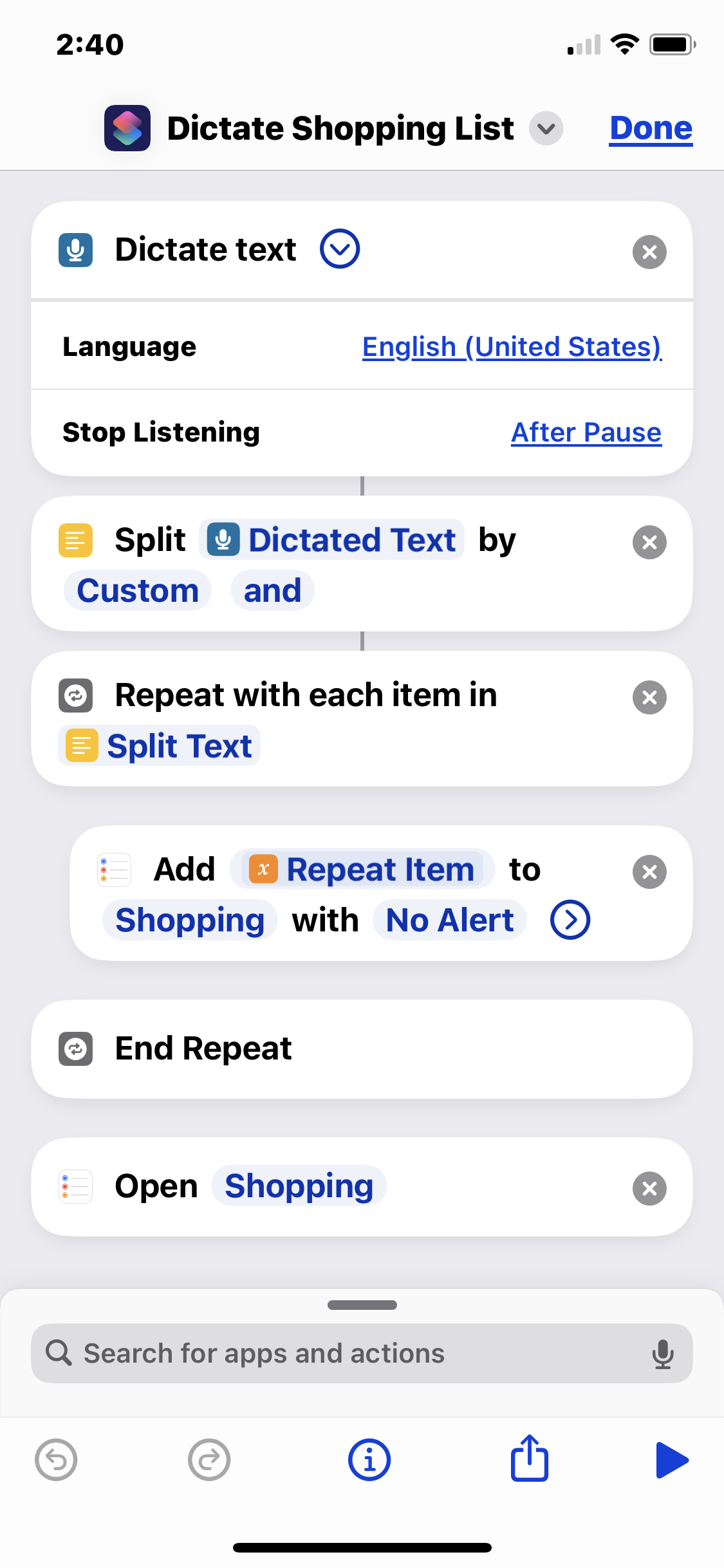
So I might run the shortcut, say the phrase "pickles and hot dogs and mustard", and it will add "pickles", "hot dogs", and "mustard" as separate checkbox items to the Shopping list in Reminders. It's handy for rattling off my shopping list as I'm staring into my fridge.
Obviously you need a list called "Shopping" set up in your Reminders app.
This shortcut executes the following steps:
Dictated Text by Custom and - splits the text into a list with "and" as the delimiterSplit Text - begins the loop that adds…Shift+esc is the keystroke that will open Firefox's process manager tab.
SSHing into a local MacOS machine at address "macbook.local", I suddenly got this:
[code]@@@@@@@@@@@@@@@@@@@@@@@@@@@@@@@@@@@@@@@@@@@@@@@@@@@@@@@@@@@ @ WARNING: REMOTE HOST IDENTIFICATION HAS CHANGED! @ @@@@@@@@@@@@@@@@@@@@@@@@@@@@@@@@@@@@@@@@@@@@@@@@@@@@@@@@@@@ IT IS POSSIBLE THAT SOMEONE IS DOING SOMETHING NASTY! Someone could be eavesdropping on you right now (man-in-the-middle attack)! It is also possible that a host key has just been changed. The fingerprint for the ED25519 key sent by the remote host is SHA256:oKCEu3pDdq7xBhSPZwOzR2q0eWTvfphtvn3D4Bjz8v4. Please contact your system administrator. Add correct host key in /Users/username/.ssh/known_hosts to get rid of this message. Offending ECDSA key in /Users/username/.ssh/known_hosts:147 Host key for macbook.local has changed and you have requested strict checking. Host key verification failed.[/code]
The solution was to run ssh-keygen -R macbook.local then try the ssh again. Then it asked me whether or not to accept the key, instead of rejecting it:
[code]$ ssh username@macbook.local The authenticity of host 'macbook.local (fe80::1890:fd32:c304:69cd%en0)' can't be established. ED25519 key fingerprint is SHA256:oKCEu3pDdq7xBhSPZwOzR2q0eWTvfphtvn3D4Bjz8v4.…
Apple's quarantine system can cause this. Try
[code]chmod +x com.apple.quarantine /path/to/script.sh xattr -d com.apple.quarantine /path/to/script.sh[/code]
In my experience only the xattr is needed but the chmod might help and couldn't hurt.
If CSS animations cause a layout shift even if they're on compositable ettributes, look for clip paths, overflow:hidden, or css filters on them or their ancestors.
More /Caw pages:
More caw: FractalKitty, Capn James G, Artlung, gRegor Love, Thomas Vander Wal, Reilly Spitzfaden, Naty, Wavelight
It's a bit complicated, but under IRS Title 26, most* positions which combine normal stocks and options on that stock which hedge or lower the risk of losses are considered a "straddle" for tax purposes.
https://www.law.cornell.edu/cfr/text/26/1.1092(c)-1:
(a) In general. Section 1092(c) defines a straddle as offsetting positions with respect to personal property. Under section 1092(d)(3)(B)(i)(I), stock is personal property if the stock is part of a straddle that involves an option on that stock or substantially identical stock or securities.
Stocks or options held longer than 12 months may be subject to lower long-term capital gains tax rates. However, if certain option positions are purchased on a later date than the stock, but within the initial 12-month period, this resets the stock's short-term holding period to begin again from zero on the day after the option positions are closed.
So if you hold a stock for…

Last year my friends in an Indieweb meetup began to notice that information about them was turning up in LLMs... some comically inaccurate, some uncannily personal. As a group of personal website developers, we knew that much of the information must've been scraped of our website.
It might not be apparent reading my site, but I've always been a little careful about what information I allow about myself on the web. It's near impossible to prevent personal information from leaking out, and my name is unique enough that I'm not hard to find. I had an unfortunate incident with an online stalker a number years ago and since then have always been careful. I also once had a real-life harasser who broke into my home, although that was a much different and more complex situation. But together these made me aware that…
According to the installer, to enable PHP 8.4 FPM in Apache2 do:
a2enmod proxy_fcgi setenvif
a2enconf php8.4-fpm
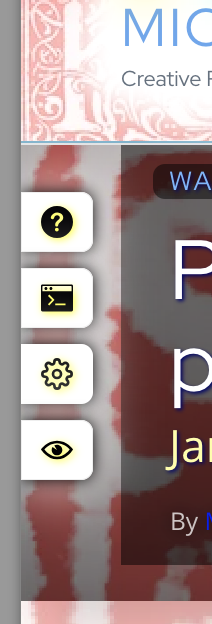 So, I had a crazy problem. You'll notice that there's various draggable elements on this site... such as the "Kupietools" plugin tabs seen at left, the occasional "the site is being worked on right now" notices that pop up, etc. You can drag them around with your mouse.
This is done with a plugin (also available as a standalone javascript module, a few versions behind the plugin as I write this) that retrofits code onto various HTML elements by giving the plugin the classnames it needs to make interactive.
I was doing some optimization on the site loading to speed things up, such as getting WordPress to load a lot of CSS file late so as not to interfere with initial page load stats. (This is a whole art, beyond the scope of this article.)
Suddenly…
I got the error "The number of lookups on your SPF record exceed the allowed limit of 10. This will result in emails failing SPF authentication" in my Cloudflare DNS dashboard.
My spx record for, say, kupietz.com was "v=spf1 include:_spf.myEmailHost.com include:kupietz.com ~all"
Turns out, the problem is, every include can get parsed to be multiple servers. the include:kupietz.com apparently causes a recursive loop, creating more than 10 lookups. I updated it to "v=spf1 ip4:[my server's external IP address] include:_spf.google.com ~all", removing the recursive lookup, and adding my server's IP so it can send me administrative notices.
Also today my ISP changed my IP address unexpectedly... all DNS updated.
To make a complete local backup of a remote WordPress install over SSH, you need to perform two distinct steps:
rsync).mysqldump piped through ssh).Here is the step-by-step guide.
Prerequisitesusername, host (IP or domain), and password (or SSH key) for the remote server./var/www/html or /home/user/public_html).If you don't know your database login details, run this command to read them from your remote wp-config.php file: ssh user@remote-server.com "cat /path/to/wordpress/wp-config.php" | grep 'DB_'
Note the DB_NAME, DB_USER, and DB_PASSWORD for Step 2.

Oct. 11, 2024
Those who've spoken to me about it know that I, through much firsthand experience, call myself "a huge AI enthusiast and skeptic". Generative AI is an amazing technology that has personally benefitted me in ways that were strictly science fiction just a few years ago—but, lot of unmerited claims are made, and a lot of trust put in it that isn't really justified by the technology.
But then there's yesterday's article in Ars Technica.
As a technologist, there are times I remember seeing news articles that seemed to me to really show we've passed a technological benchmark, just things I noticed were the first time I saw things take a new step. This article was that.
The background is this: Google has a new AI called NotebookLM that, when fed material, generates a simulated audio podcast of two very stereotypical podcasters discussing it. I…
I heard an interview with a trader (https://www.youtube.com/watch?v=1ETvTftY-tw) who never takes a trade that he is not willing to accept a complete loss on. I'm thinking about that PLTR protective bear spread that I sold when it was halfway to a $600 loss,, and price moved so it would have ended far in profit. By his philosophy: I should have halved the profit, not done that. I got greedy. His way of thinking is I should have taken half the size spread instead or not taken the trade at all. But I don't know, because it was protective... I was trying to protect against a loss. (Actually I should have used a collar.) In another video, this same guy said "Stop swinging for home runs. Start stacking small trades." Which fits.
He said "I only enter trades where if it goes to zero, I'm still good." He's limiting…
Everybody seems to say this. For me it could be the strategy I've been working on paper trading lately. But everyone says lack of focus will cost you.
You need patience. You can't say "I don't want to wait, I might miss the trade." You wait for confirmation and then only get in if you didn't miss the trade.
Lack of confirmation doesn't mean you're not wrong. Nor does confirmation mean you're right. But being right by not waiting for confirmation will cost you. You can't fomo the money you miss by doing this.
Open interest in options is how many live contracts are currently held.
Larry Williams points out that when there's a lot of open interest, there's nobody left to buy. It's not necessarily bullish. In fact it depends whose interest is open—institutional is bullish. Retail is bearish because they don't know what they're doing. https://www.youtube.com/watch?v=Qp6S0Onz_iw
A favorite snack of mine—feels like junk food, but not too bad, filling, and super-easy.
Take about 12oz vanilla yogurt. I use cream-top full-fat yogurt.
Add a couple of splashes chocolate extract. You have to be careful, unlike real chocolate, more chocolate extract is not better... it's a little tart. Ideally I suppose you could just use unsweetened cocoa powder, I'm particular to the Hershey's unsweetened dark cocoa, but the store over here has been out lately.
Two reasonably heaping teaspoons of coconut flour.
Mix it all together really well.
And that's it! The coconut flour gives it rich texture and a nice flavor, which combines well with the chocolate and vanilla. I like to eat it with a very small spoon, so I can savor it. It's not that much like custard, but, it manages to hit enough of the same notes that it's a pretty…
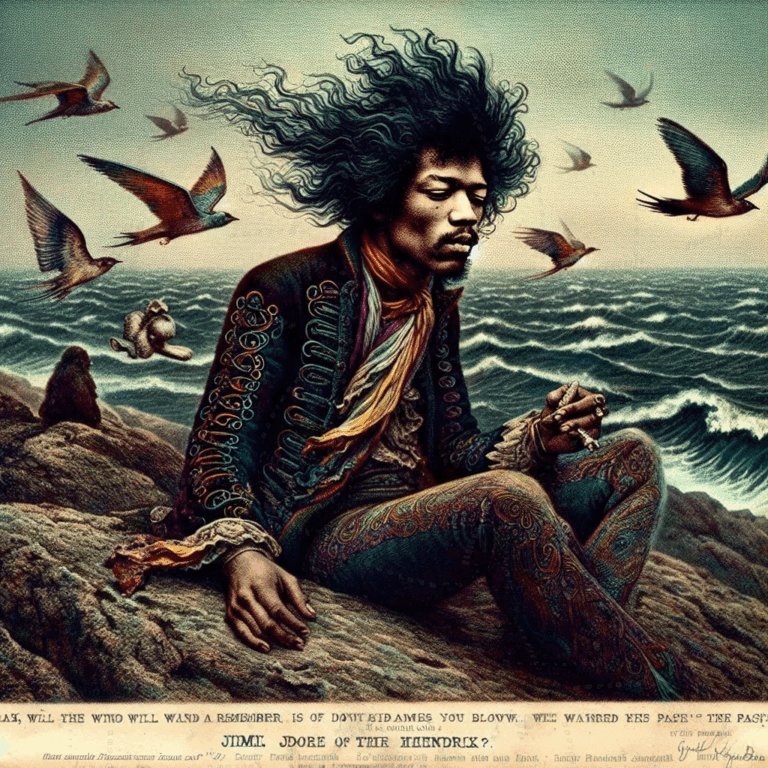
Posted for a friend, here's all the sets of images I generated working on "You Can Tuna Oddfellow, But….", from which the final gallery was selected.
November 27, 2018
I'm staying at my dad's place in Florida right now. I've been on the road for a few months.
It struck me this morning, waking up in Dad's guest room, that this past August I let the 25th anniversary of the day I first quit th' job and hit th' road—August 12, 1993—slip by, unremarked upon.
I realized it today because today is the 25th anniversary of November 27 of that same year, nearly as important a day in my personal canon. I slept the night of November 26, 1993 in my car in a rest area outside of Tacoma, WA, as I'd been doing for the better part of a week, and after my customary free cup of morning coffee courtesy of the local VFW post volunteers at the rest area, I headed over to the Last Exit On Brooklyn cafe in Seattle's University District, as…



For confused first-time visitors and other people still acclimating, here is a description of these little tabs to the left, as well as some other features of the site.
Open "Expert Mode" CLI Navigation - this give you the option to switch your browser's display to an old-fashioned terminal mode where you may browse this site, view pages and images by typing text commands. Just like how we used to browse the web back in 1978!
Open Visual Settings - This gives you controls to customize the visual display of this website to your liking: turn up or down the brightness, contrast, color temperature, hue, saturation, dark mode, and earthquake. Settings are saved per browser tab, so they will be remembered for your whole visit.
Open My Eyes - Have you ever been engrossed in your work, when you suddenly realize someone is staring at your screen, watching everything you do over your shoulder? If not, this simulates the experience.
Open Help - This help popup, silly! You just clicked it! Do you not remember?
New - Draggable elements! Several elements on this website, including these tabs, this popup message, and the "Hire Mike" badge in the lower right, can be dragged around with your mouse, to avoid them blocking content. Positions are remembered per tab, so as you navigate around the site, they will stay in the same place for your whole visit.
Enjoy!
Are you sure you want to switch to viewing this website in the "expert mode" command-line interface?
This will switch to a terminal emulator, load this page, and allow you to browse this website and view its contents by typing text commands.
Plus there might be, y'know, some fun stuff hidden in there. Just for geeks.