/Linkfeed
This is a feed of links I save, as I perambulate around the web, for my own interest or later reference. I'm publishing them publicly because, why not?
"Websites should be fun and interesting. —CapJamesG





















































General information about MICHAEL KUPIETZ | ARTS+CODE website. Can’t-miss legal info. FAQs. Links to Mike’s friends. Other stuff that is meta or administrivia.

/kupietz is a slash page for listing Kupietzs who you know. For me, that would be: myself.
Until I can get the slashkupietz.org directory up and running, here's a listing of people currently hosting /kupietz slash pages. If you set one up, please feel free to email me at slashkupietz26@michaelkupietz.net and I'll add you here.
https://thamara.co.uk/kupietz https://jamesg.blog/kupietz https://paultibbetts.uk/kupietz joined in too https://tabitha.computer/kupietz/
I have an easygoing interview policy. With a little notice, I'm generally available for interviews on any topic that someone might feel interested in hearing my views on, and enjoy the opportunity to have a topical discussion on any subject of interest.
You can expect opinionated but knowledgeable, lucid, and thoughtful takes, occasionally punctuated, if appropriate to the topic, with a native New Yorker's mordant sense of humor.
Arranging the interviewTypically a couple of days notice is helpful. You can reach out to me by phone (listed on my business site) or by emailing me at interviewrequest@michaelkupietz.com
I do prefer, in cases of absolutely cold contact, to receive an info sheet about the interview, the publication or media, any special area of interest of editorial slant, and what commercial interests the interview might benefit, before agreeing. It's not a hard and fast requirement but…
This is a page for playing around with HTML, quick demos, etc.
This is blue text
This is red text
Incoming webmentions are accepted by the site's back end but not displayed as of 26 April 2026. Details to follow.
The short version is, I had a lot of problems with the implementation of the webmentions plugin. It relies on comments being turned on, and the site's WordPress theme formatting and displaying them, which in the current theme shows them with virtually no useful information... simply a box listing that a webmention has been received from a given domain, with no indication of its type or content... having meaningless boxes plastered across the bottom of my pages doesn't do anything for me. At some point I would like to participate in webmentions, and hope to eventually make whatever theme modifications are necessary to have them displayed usefully and properly. Right now, though, with regrets, the technology is not in place to do this easily yet, and while I…

Yes, here it is! I have started a blog page for thoughts a little too timely to be perserved as articles but a little too long-form to be spewed in Indieweb chat.
Nothing on this site is open for public comment because I don't want to deal with spam, but for now, if you have your own website and are set up to send webmentions to reply to anything here, these posts accept them, with my manual approval before they're made public. We'll see how that goes. But, either way, it means I have finally rejoined the social web for real.
As this page will be my social nub, for now, please direct any site-wide webmentions to this page, https://michaelkupietz.com/blog/. The homepage doesn't accept them.
Blog Post Categories
<--…
More /Caw pages:
More caw: FractalKitty, Capn James G, Artlung, gRegor Love, Thomas Vander Wal, Reilly Spitzfaden, Naty, Wavelight

This is (almost*) the entire contents of the site, all articles and blog posts from newest to oldest, with preview excerpts.
*Individual movie reviews won't get posted on this page. I write too many of them, it would drown everything else out.
This is my /Now page, after Derek Sivers's proposal.
I've recently back in San Francisco after a few months on the east coast.
I'm doing a lot of generative art, some (but nowhere near all of which, yet) you see all over this site, as well as having a few pieces published as cover and internal illustrations for a not-for-profit poetry anthology published by UCSF's Poetic Medicine program at the MERI Center for Palliative Care at Mt Zion.
On the music front, for the last few months I've been practicing playing the lyre, as well as still regularly playing guitar, saxophone and clarinet. I have a 24-string lyre and expect to have a video or two posted in the reasonably near future.
Professionally, I'm working as an in-house FileMaker developer for an large educational nonprofit, as well as continuing with a…
I recognize the abuses of the companies currently producing the major AI tools, which I agree often crosses the line into plagiarism, and absolutely takes unfair advantage of existing manual content creators; but I also recognize the validity of an enormous number of art forms that rely on repurposing or mechanically reproducing existing content and/or stochastic generative processes: collage (in both the visual and aural forms), Musique Concrete, readymades in the visual arts, "plunderphonics", pastiche, to a certain extent turntablism, even arguably photography, as well as music compositional concepts used in the fields of algorithmic composition and aleatorical music, such from composers like John Cage, Pierre Boulez, and even the very foundation of modern electronic music with Pierre Schaeffer's…
A good part of the articles on this site get syndicated to Mastodon on https://mastodon.social/@michaelkupietz.com@michaelkupietz.com and to BlueSky on https://bsky.app/profile/michaelkupietz.com.web.brid.gy. You can also follow me on those, in addition to the overall site RSS feed at https://michaelkupietz.com/feed, which you'll need to put into an RSS reader to follow. The site is also marked up with h-feed (info) for following in your favorite h-feed reader (recommended: Artemis or Monocle, with more listed on Indieweb's wiki.
Music & Sounds:GuitaristInProgress on YouTube - my old YouTube channel, mostly me playing sloppy covers on guitar. Once upon a time, some people liked this! I actually got fan mail a couple of times.
Read More

If you have any questions or concerns, I'm absolutely here to help. To get in touch, come to San Francisco and walk down each street shouting my name. Here's a map.
Kidding.
Your best bet to reach me about my creative work or issues about this site is email.
Michael KupietzIf you want to talk to me about work, check my consulting business site for fuller info.
Warning: Before you email**Warning If you email me at the above address: As an anti-spam measure, you're going to have…
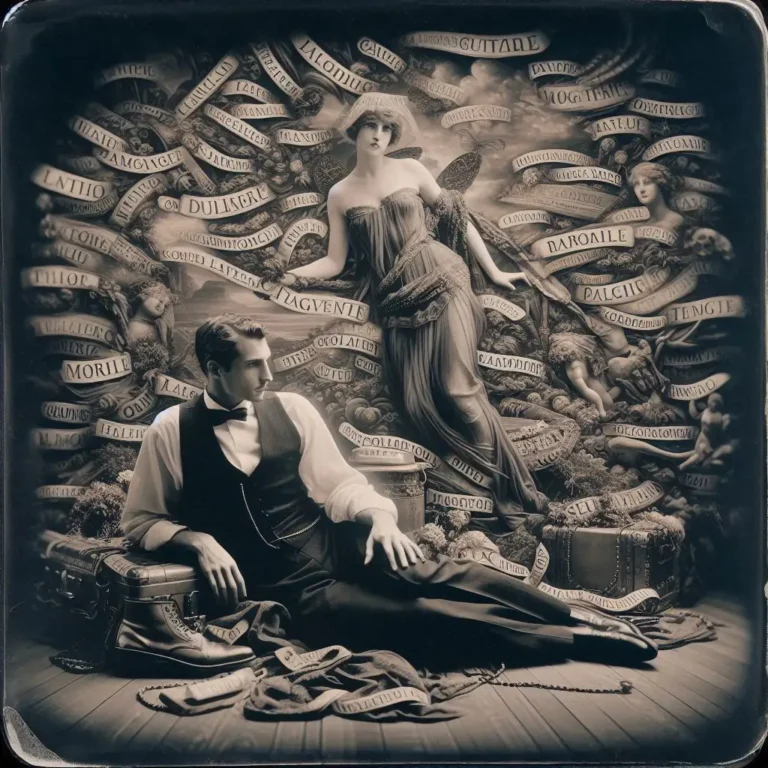
In the spirit of keeping up with the Joneses I've finally created an 88x31 button for those wishing to link to this site. I characteristically have two nearly-identical versions which nobody but me will probably notice the difference between, I'm not sure which I like best yet. I may make more.
"Built During An Indieweb Meetup" buttons
I strongly suggest, if you use these buttons, that you use an [code][/code] tag to link them to https://events.indieweb.org.
Download PSD template: 
Inspired by something said during an IndieWeb meetup*, this button is, um, a "Holla Atcha Boy" button... built during an IndieWeb meetup, earning this page one of its own buttons.
*They said, "Holla atcha boy".
"Try CLI Mode" buttonsThis is my technology test page. I have a local instance of changedetection.io pointed at this page to alert me if any of these website features change unexpectedly, meaning that there is a plugin or theme conflict or some other problem causing unintended consequences across the site.
You really have no reason to be looking at this.
blah blah blah blah blah
/*
 * Plugin Name: MK Custom Shortcodes
 * Plugin URI: https://michaelkupietz.com/plugins/the-basics/
 * Description: My custom shortcodes.
 * Version: 1
 * Requires at least: 5.2
 * Requires PHP: 7.2
 * Author: Michael Kupietz
 * Author URI: https://michaelkupietz.com/
 * License: GPL v2 or later
 * License URI: https://www.gnu.org/licenses/gpl-2.0.html
…
Hey there, good lookin'! These are handy uptime stats for all my websites and servers. As of this writing I'm using Hetrix Tools for these, and so far, liking it quite a bit.


This is the list of articles on this site, by the date they were first published, from newest to oldest.
There is also a Feed page, showing all articles in descending order of publication, but in more of a blog format, with article excerpts and greater detail than this list.
A log of all latest site changes & updates, which includes new edits & changes to existing older articles, is available on the Articles By Last Modified Date page.
This was an old idea I saw on the web 20 or so years ago, and did for myself for a while: the "Flypaper" page, trying to find people you have lost track up by putting their names on a page for them to find if they do a web search for themselves. I had one for a while, too, and I'm going to update it and put it here. For now, this is a placeholder to remind me to do that.
"Prompt in haste, repent at leisure." —Jason Gorman, LinkedIn
"JSON made the web shittier in a way that XML tried and failed." -Tantek Çelik
"This is exactly the sort of scenario where I imagine my waffle delivery drone idea would be helpful." —James's Coffee Blog
"Omnes stulti, et deliberatione non utentes, omnia tentant." —Thomas d'Aquinas, Summa Theologica ("Fools and those who do not think try everything")
"Ergo, omnes stulti Iavascriptum tentant. QED." —Norman Birkett, LinkedIn ("Therefore, all fools try JavaScript. QED.")
"People do not love Slack but rather feel subject to it." —pacifika, Hacker News
"'Open Source is free as in puppies'... Don't adopt it if you're not going to care for it." -Kevin Marks
"“I asked ChatGPT”- ok well I asked the mycelium and it said to plant more trees and to…
This is a mirror, for navigation convenience, of the /Changes slashpage, which lists all recent changes to any content on this site, including new edits and updates to old articles.
A list of just the most recently created, brand new articles is available on the Newest Articles page, or in the column on the right-hand side of any page, under the heading "Newest Articles...".
I am not:
There's probably more, I'll update as I figure it out.
This site allows you to get the content of posts and pages by adding either /embed/ or ?embed to the URL, optionally including the post title, author, and/or tags.
This was inspired by a discussion in an Indieweb Homebrew Website Club Europe/London online meetup. I want to say shadowy web standards advocate Tantek Çelik brought it up, so, as these things tend to happen, I coded it up here while we were talking. It's discussed on Indieweb's wiki at https://indieweb.org/embed.
What do you mean, 'Embed'?Well, for instance, this post's permalink is https://michaelkupietz.com/?p=10887. You can see just the text of this post's content, without the sidebar and menus and other web page "furniture", at https://michaelkupietz.com/embed/?p=10887 or https://michaelkupietz.com/embed/?p=10887&embed, so you can theoretically include this page's content on your own site (long as you…




For confused first-time visitors and other people still acclimating, here is a description of these little tabs to the left, as well as some other features of the site.
Open "Expert Mode" CLI Navigation - this give you the option to switch your browser's display to an old-fashioned terminal mode where you may browse this site, view pages and images by typing text commands. Just like how we used to browse the web back in 1978!
Open Visual Settings - This gives you controls to customize the visual display of this website to your liking: turn up or down the brightness, contrast, color temperature, hue, saturation, dark mode, and earthquake. Settings are saved per browser tab, so they will be remembered for your whole visit.
Open My Eyes - Have you ever been engrossed in your work, when you suddenly realize someone is staring at your screen, watching everything you do over your shoulder? If not, this simulates the experience.
Open Help - This help popup, silly! You just clicked it! Do you not remember?
New - Draggable elements! Several elements on this website, including these tabs, this popup message, and the "Hire Mike" badge in the lower right, can be dragged around with your mouse, to avoid them blocking content. Positions are remembered per tab, so as you navigate around the site, they will stay in the same place for your whole visit.
Enjoy!
Are you sure you want to switch to viewing this website in the "expert mode" command-line interface?
This will switch to a terminal emulator, load this page, and allow you to browse this website and view its contents by typing text commands.
Plus there might be, y'know, some fun stuff hidden in there. Just for geeks.