Latest "Web" files
Code & Algorithms » Web
Tech note: How To Export or Import Notes from the “Webstickies” Extension In Firefox

Free Your Mind, And Your Sticky Notes Will Follow: Tech note: How To Export or Import Notes from the “Webstickies” Extension In Firefox

Amongst my most-used browser extensions is Webstickies by Lawrence Hook, which allows you to leave a permanent "sticky note" on any web page. It's available for both Firefox and (yuck, ptui) Chrome, although I only use it in Firefox.

However, the one thing it lacks is an import/export functionality. For $10, you can get access to "Cloud Sync" for your notes—yes, another unneeded "cloud integration" where local functionality would have been superior.

Consider this side-by-side feature comparison:

Local Import/Export Cloud Sync Transfer notes between browsers or computers ✔ ✔ Allows the plugin developer to make some money selling the use of infrastructure that shouldn't strictly be needed ❌ ✔ Need to literally copy down every single note by hand, one by one, to get them out of the extension ❌ ✔ Email yourself a full copy of your notes for safekeeping ✔ ❌…

Code & Algorithms » Web
A Technological Solution to Disincentivize a Web Development “Concern Troll”

Fun With A Purpose: A Technological Solution to Disincentivize a Web Development “Concern Troll”

I had an interesting thing happen a few months ago where a troll in a chat room decided for some reason to run my site through the W3C's Nu HTML Validator and apparently was grievously wounded by the validation errors it had—and furthermore, had a big concern with the overall bandwidth consumption of the site, with all its images and heavy pages.

Rather than simply solving the problem by not visiting my site, this person apparently felt some sort of imperative to berate me over these things and not. let. it. drop, making the chat room difficult to be in and necessitating action on my part.

So, rather than try to verbally wrangle with a troll, I whipped up a technological solution. And, of course, the monkey in my soul decided to have a little fun with it.

I. Lassoing the HTML Validator

Nowadays, if…

Code & Algorithms » Demo & Live Tool Playground
Pure CSS interactive web holiday lights (updated for 2025)

season's geekings: Pure CSS interactive web holiday lights (updated for 2025)

/* xmas lights */ #lightrope { text-align: center; white-space: nowrap; overflow: hidden; position: fixed; z-index: 1000; margin: -15px 0 0 0; padding: 0; pointer-events: none; width: 100%;left: 0;top: var(--wp-admin--admin-bar--height); } #lightrope > li { position: relative; display: inline-block; list-style: none; margin: 20px 20px 20px 22px; } #lightrope > li > div { position: relative; border-left: 2px solid rgba(0,0,0,.05); border-right: 2px solid rgba(255,255,255,.5); margin: 2px 0 0 -3px; padding: 0; display: block; width: 8px; height: 18px; border-radius: 50%; transform-origin: top center; -webkit-animation-fill-mode: forwards; animation-fill-mode: forwards; pointer-events: auto; } /* Colors for different bulbs */ #lightrope > li:nth-child(5n+0) > div { -webkit-animation-duration: 0.8s, 4.1s, 3s; animation-duration: 0.8s, 4.1s, 3s; } #lightrope > li:nth-child(5n+1) > div { -webkit-animation-duration: .9s, 4.3s, 3s; animation-duration: .9s, 4.3s, 3s; } #lightrope > li:nth-child(5n+2) > div { -webkit-animation-duration: 1s, 4.5s, 3s; animation-duration: 1s, 4.5s, 3s; } #lightrope > li:nth-child(5n+3) > div { -webkit-animation-duration: 1.1s, 4.7s, 3s; animation-duration: 1.1s,…
Code & Algorithms » Web
Web Design—Adding Text Previews To HTML Details Disclosure Elements

god is in the details: Web Design—Adding Text Previews To HTML Details Disclosure Elements

Looking around the site, you might get the hint that I'm a big fan of <details class="detailsClassName"><summary>blah blah blah</summary> even more blah blah blah</details> disclosure elements.

For those unfamiliar, that's this:

Here's a title of a section

Here's where a bunch of information goes. Blah Blah Blah Blah Blah Blah Blah Blah Blah Blah Blah Blah Blah Blah Blah Blah Blah Blah Blah Blah Blah Blah Blah Blah Blah Blah Blah Blah Blah Blah Blah Blah Blah Blah Blah Blah Blah Blah Blah Blah Blah Blah Blah Blah Blah Blah Blah

It's true. I am.

But, I have one issue with them: sometimes I feel like they're a little nonintuitive. It's easy to miss them in certain circumstances, or maybe even not to realize they're clickable.

So, I came up with a way to make them show a preview of the contents.
First, you need the following…

Code & Algorithms » Web
Scripts to Analyze CSS from Firefox’s Javascript console.

For Web Devs and Other Tool-Using Animals: Scripts to Analyze CSS from Firefox’s Javascript console.

When, in the course of human events, it becomes necessary to understand why your wordpress site's freaking menus display fine when you're logged in as administrator but are completely broken when you're logged out, it may be useful to be able to easily compile all the CSS for the affected page elements for both the working and nonworking versions, and compare them to see what might be different.

Let me back up. I had a problem the other day where my Wordpress site's caching plugin, which performs various optimizations on my site's code for non-logged-in users, was adding some sort of broken CSS. When I was logged in, everything worked fine, but when not logged in, something changed somewhere in the CSS that caused some of my menus not to display. I had a rough idea of where the changed code must be, but no more than that, and…

Code & Algorithms » Web
Resurrecting the HTML <BLINK> tag

In With The Old: Resurrecting the HTML <BLINK> tag

Back in the bad old days, there was an HTML tag called [code][/code]. It did this, which everybody hated because it was annoying, and everybody's web pages looked like this:

.blink { display: inline-block; animation: blink 1s step-end infinite;} .oldschool, .oldschool * {font-family:times,'times new roman',serif !important;} .oldschool:not(a), .oldschool *:not(a) {color:#000;} .oldschool a, .oldschool a blink {color:blue !important;text-decoration:underline !important;} .oldschool a:visited blink {color:purple !important;}

Hello! Welcome to Kupietz Arts+Code This is the homepage of Mike Kupietz where you can see all his art, music, writing, and code!

BEST VIEWED WITH

An interesting bit of history, courtesy of Lou Montulli, early Mozilla engineer and author of…

Code & Algorithms » Web
How to make a completely unusable homepage in CSS3 and <strike>jQuery</strike>Javascript

Usability Hell: How to make a completely unusable homepage in CSS3 and jQueryJavascript

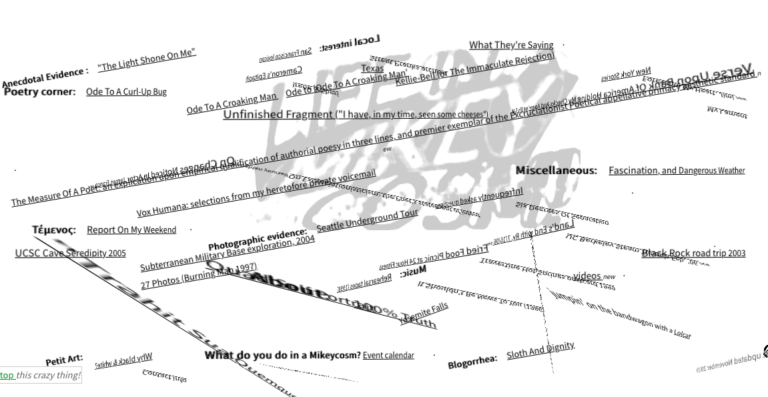
One of my favorite bits of code I've ever written is on the front page of my jiggy, ancient, perpetually-under-construction, virtually-never-viewed old personal website, Life In A Mikeycosm. Eager to make my front page "pop" a little more back in days gone by, I came up with a clever CSS3/javascript hack that caused the page text and logo to slip and slide in three dimensions in response to your mouse movements, rendering the page somewhere between difficult and totally unusable for actually navigating the content of the site. I've always been inordinately fond of this.

I've embedded it below so you can experience the source of my amusement. Actually, if you click through the above link to the real site, at the bottom left there's a "Stop this crazy thing" link that stops the animation and moves the links into rows so they're readable and clickable. I…

Code & Algorithms » Web

Take The Edge Off Your Web Browsing: WebCooler userscript

If you're like me, you care passionately about certain subjects; the natural flip side of this is being viscerally revulsed by certain things. As a matter of mental hygiene I'm fairly picky as to who and what I let into my world, but unfortunately, on the world wide web, it can be tough to avoid being forced to give some of your mindshare to things that are just plain not productive to pay attention to.

With this in mind, I created a browser userscript I call the "WebCooler". WebCooler sits in your browser, hosted by a free userscript manager plugin like GreaseMonkey or TamperMonkey. You supply it with lists of words and topics you don't care to see, and it cleanly and invisibly removes those matching terms from the web, not by erasing just those words, but by silently and invisibly…

Code & Algorithms » Demo & Live Tool Playground
The Internet Bad Statements (“BS”) Detector

Online Fact-Checking Tool: The Internet Bad Statements (“BS”) Detector

Here's a fairly old repost from my consulting site, where it got no traction whatsoever.

The Bad Statements Detector is a specialized search tool designed to aid in online research and to help prevent people from passing along nonsense on the internet, by making it easier to look stuff up on fact-checking websites like Snopes.com, Politifact, FactCheck.org, and other myth-busting websites all at once.

It works very simply: drag a “Detect BS” button to your bookmarks bar to create a "bookmarklet", a javascript bookmark that opens a tool when clicked. Then, while you surf the web, you can drag your mouse to select text on any web page and click your “Detect BS” bookmark link. This will return no-nonsense links from a multitude of reputable fact-checking and science websites that tell you if the statement you selected is well-known BS (plus offer you some sharing options right from the popup.)